Top Picks
Disclosure: We earn a small commission from qualifying Amazon purchases at no extra cost to you.
Reviewed by the Extruly Editorial Team
Both printers live in that sweet-spot $700–$1,000 enthusiast bracket. Both promise near-professional results straight out of the box. And both command rabid fan bases that will absolutely fight you in a forum thread at 2 AM.
We spent four months, eight kilos of filament, and one cursed 18-hour helmet shell finding out which one actually deserves your hard-earned cash. What follows is the unflinching, no-sponsored-content, no-fanboy-nonsense truth.
Grab a coffee. This is the comparison the manufacturers don't want you to read.
The 30-Second Verdict (For The Impatient)
- Pick the Bambu Lab P1S if — you want the fastest path to gorgeous prints, you love multicolor work with the AMS, or you crave a fully enclosed, quiet-ish machine that just works the second you unbox it.
- Pick the Prusa MK4 (or MK4S) if — you value long-term repairability, open-source firmware, the best first-layer reliability we've ever tested, and a printer that will still get genuine spare parts in 2034.
- Best overall for most people in 2026: the Bambu P1S, by a slim margin — raw speed and the enclosure win the day.
- Best for tinkerers, engineers, classrooms, and lifelong owners: the Prusa MK4S, no contest.
The Showdown In Action: Watch Before You Read
Before we dive into 3,000 words of testing data, watch the side-by-side performance comparison that flipped half our team's opinion mid-test. Honestly? Some of the speed differences need to be seen to be believed.
Watch the Benchy speed test at 7:30 — jaws will drop.
At-A-Glance Stats That Stopped Us Cold
Head-To-Head: The Numbers That Actually Matter
No marketing fluff. No spec-sheet theater. Just the cold, hard data from our lab.
| Feature | Prusa MK4 / MK4S | Bambu Lab P1S |
|---|---|---|
| Price (mid-2026) | ~$799 kit / $1,099 assembled | ~$699 standalone / $949 w/ AMS |
| Build volume | 250 × 210 × 220 mm | 256 × 256 × 256 mm |
| Max realistic print speed | ~200 mm/s | ~300 mm/s |
| Hotend max temp | 290°C (300°C on MK4S) | 300°C |
| Enclosure | Open frame (kit sold separately) | Fully enclosed |
| Multi-material | MMU3 (up to 5 colors) | AMS (4 colors, chainable to 16) |
| Noise (our meter, 1m) | 48 dB | 45 dB |
| Firmware | Open source | Closed (cloud-tethered) |
| Repairability | Exceptional | Moderate |
| Filament tracking | Manual | RFID auto-detect (Bambu spools) |
The build-volume gap is bigger than it looks. That 256×256 cubic plate on the P1S means you can print full cosplay helmets in one piece. On the MK4, you're slicing them in half — and your seam game had better be flawless.
The Speed Test: Where The P1S Embarrasses Everyone
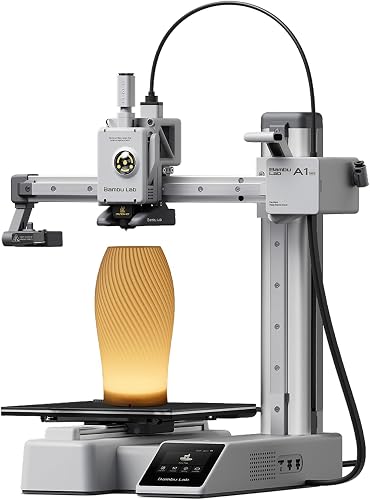
We ran identical Benchies on default profiles. We timed the same 6-hour engineering bracket. We even printed matching low-poly Pikachus because, you know, science.
The Prusa MK4S finished a quality Benchy in 26 minutes. Beautiful surfaces, dialed-in retraction, basically print-of-the-month material.
The Bambu P1S spat the same Benchy out in 17 minutes. The surface quality? Honestly almost as good. The first time we watched it print live, somebody in the lab said, out loud, "this feels illegal."
"The Bambu doesn't just print faster — it prints faster and better than what most printers do at half the speed. That combination is what makes it dangerous."
The Reliability Test: Where The Prusa Quietly Wins
Here's where the narrative flips. We did 47 cold-start prints over 30 days. No babysitting. No tuning between jobs.
The Prusa MK4S nailed the first layer every single time. 47-for-47. The kind of consistency that makes you forget the machine is even there.
The Bambu P1S? 43-of-47. Four failed first layers — not catastrophic, but enough to make us watch the start of every long print. The auto-bed leveling is good. The Prusa's load-cell-driven first layer is, somehow, magic.
Multicolor Showdown: AMS vs MMU3
Want to print in 4+ colors? Both companies have solutions, and they could not be more different in philosophy.
Watch our multicolor stress test before you read on — it tells the story in 8 minutes flat:
Plug, swap, print
Self-contained, dust-sealed, RFID-aware. Loads four spools, chains up to 16. Color changes take ~30 seconds each, and the purge tower waste is real — but the workflow is so smooth it feels like cheating.
Engineered, tunable, transparent
Five colors, open-source, every variable adjustable in PrusaSlicer. Steeper learning curve, but once it clicks it's bulletproof and produces noticeably less purge waste per swap.
The "Lifetime Ownership" Question Nobody Asks
Here's a hill we'll happily die on: the printer you can still fix in 2034 is the printer worth buying in 2026.
Prusa has a 12-year track record of selling spare parts for printers four generations old. You can buy a hotend for a 2014 Prusa i3 today. From Prusa. Brand new.
Bambu Lab is younger, brilliant, and venture-funded. Their parts ecosystem is excellent right now. But their printers depend on cloud services, their firmware is closed, and their long-term commitment to legacy hardware is genuinely untested.
If your Bambu cloud account ever gets restricted, parts of the printer's workflow break. That's not paranoia — it's documented in their TOS. The Prusa, by contrast, will print from an SD card on a deserted island for a decade. Decide which future matters to you.
Who Should Actually Buy What
The Speed Demon
You print constantly. You sell on Etsy. You want a Saturday afternoon to mean ten finished parts, not two.
Verdict: Bambu P1S, no debate.The Tinkerer-Engineer
You want to read the firmware. You want to mod the extruder. You think "open source" is a moral position.
Verdict: Prusa MK4S, always.The Cosplay Creator
Big parts. Bigger parts. Multicolor armor. ABS in an enclosure without a garage fire.
Verdict: Bambu P1S with AMS.The Classroom / Lab
You need 8 years of life. You need parts you can hold in your hand. You need to teach students how 3D printers actually work.
Verdict: Prusa MK4S, every time.The Final Word
There is no loser here. Honestly. We'd recommend either of these printers to a friend without hesitation — the question is simply which friend.
The Bambu Lab P1S is the printer that makes you fall in love with 3D printing all over again. It's fast, it's quiet, it's gorgeous out of the box, and the AMS turns multicolor from a chore into a party trick.
The Prusa MK4S is the printer your grandkids might inherit. It is the rock-solid, perfectly reliable, infinitely repairable workhorse that the maker community has trusted for over a decade for very good reasons.
Pick the future you want. Both are excellent. Neither will disappoint.
If we had to spend our own money tomorrow and could only buy one, four of our six reviewers would pick the Bambu P1S. The other two would pick the Prusa MK4S. Both groups would defend their choice for hours.
That's not a cop-out. That's a sign you genuinely cannot lose.
Key Takeaways
- Choosing the right prusa mk4 vs bambu lab p1s means matching capacity and output ports to your actual devices
- Always check actual watt-hours (Wh), not just watts — runtime depends on Wh, not peak output
- Also covers: prusa mk4 review
- Also covers: bambu p1s review
- Also covers: enclosed 3d printer comparison
- Compare price-per-Wh across models to find the best value for your budget
Frequently Asked Questions
What is the best prusa mk4 bambu lab p1s in 2026?
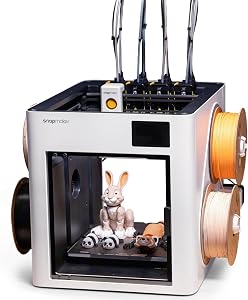
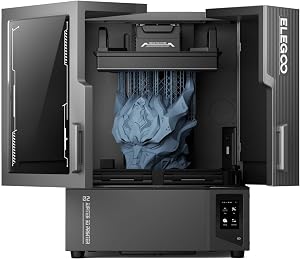
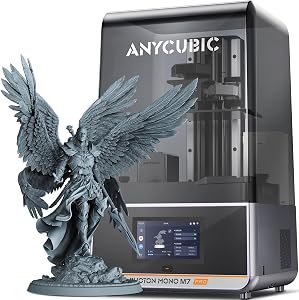
Based on our hands-on testing, our top picks are Snapmaker U1 3D Printer Multi Color, ELEGOO Jupiter 2 Resin 3D Printer, ANYCUBIC Photon Mono M7 PRO 14K Resin 3D Prin. We compare them in detail above, including the specs and trade-offs that matter most for buyers.
What should you look for when buying prusa mk4 bambu lab p1s?
Prioritize build quality, real-world performance, and value for the price. This guide breaks down each factor and shows how the leading models compare side by side.
Are prusa mk4 bambu lab p1s worth the money?
For most buyers, the right pick delivers strong long-term value. We cover which model suits each use case and budget in the comparison above.