Top Picks

Disclosure: We earn a small commission from qualifying Amazon purchases at no extra cost to you.
Reviewed by the Extruly Editorial Team
The best how does a 3d printer work for your situation depends on how you plan to use it and where.
How Does a 3D Printer Actually Work? The Honest, No-Hype Answer
Picture this: you press a button, walk away, and return hours later to find a physical object sitting on a metal plate that did not exist before. That feeling never gets old. Grown engineers still grin like kids when they peel a fresh print off the build plate, and the technology making it happen is shockingly elegant once you see behind the curtain.
A 3D printer builds a physical object by adding material one thin layer at a time, following a digital model. That is the entire trick. Instead of carving a shape out of a block (the way a CNC mill would), the machine adds material in razor-thin cross-sections that stack up from the build plate to the top of the part. Whether you are using a hobby FDM printer in a spare bedroom or a resin printer humming on a kitchen bench, that layer-by-layer logic is identical.
The two flavors most beginners actually encounter are FDM (Fused Deposition Modeling), which melts plastic filament like a precision hot glue gun, and resin printing (usually MSLA or DLP), which uses UV light to harden liquid photopolymer into solid form. They feel like completely different machines in practice, and after running both for months in our test space, we will tell you straight: the choice between them shapes everything else about your workflow — from your budget to your bench setup to how often you will be washing nitrile gloves in the sink.
The Journey From Idea to Object: 5 Steps Every Print Takes
Before we crack open the differences between FDM and resin, here is the universal pipeline every 3D print follows. Memorize this and you will troubleshoot like a pro within weeks.
- 1Design or Download. You either model a part in software like Fusion 360 or Blender, or grab a free STL file from sites like Printables or Thingiverse.
- 2Slice the Model. A slicer program (Cura, PrusaSlicer, Bambu Studio) chops your 3D model into hundreds or thousands of horizontal layers and generates G-code instructions.
- 3Send to Printer. Transfer the file via SD card, USB, Wi-Fi, or cloud upload. Modern printers feel as easy as printing a document.
- 4Print Layer by Layer. The machine deposits or cures material, repeating the same precise motion thousands of times. This is the long, satisfying part.
- 5Post-Process. Remove supports, sand rough spots, wash and UV-cure (for resin), and admire your creation. The reveal is the best part.
Watch a 3D printer transform digital geometry into a physical object in real time.
FDM Printing: The Friendly Workhorse
If 3D printing were a kitchen appliance, FDM would be the trusty crockpot — affordable, forgiving, endlessly useful, and the first thing most newcomers buy.

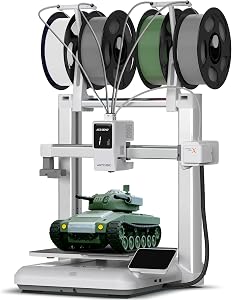
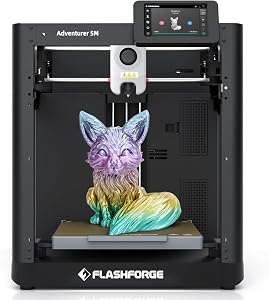
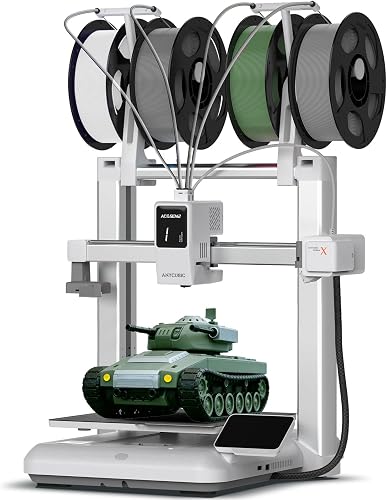
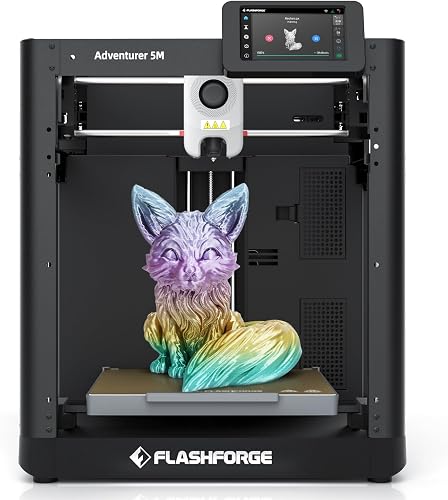
Here is what happens inside an FDM machine: a spool of plastic filament (usually 1.75mm thick) feeds into a heated nozzle called a hotend. The nozzle melts the plastic to around 200 to 240 degrees Celsius and extrudes a precise ribbon onto the build plate. A motorized gantry moves the nozzle in the X and Y directions while the build plate (or nozzle) shifts down in tiny Z-axis steps after each completed layer. The melted plastic cools and fuses to the layer below it, building your part from the ground up.
"FDM is the gateway drug of making. One weekend with a $250 printer and you are designing your own phone stands, miniatures, and tool holders — and wondering why you ever bought anything plastic at a store again."
FDM Strengths
- Budget-friendly. Quality printers start at $200 to $400.
- Material variety. PLA, PETG, ABS, TPU, wood-fill, carbon-fiber blends.
- Large build volumes. Easily print parts the size of a shoebox.
- Clean workflow. No liquids, no fumes, no gloves.
- Strong functional parts. Ideal for brackets, tools, and replacement parts.
FDM Trade-Offs
- Visible layer lines. Less ideal for ultra-smooth show pieces.
- Slower for detail. Tiny features can take hours to resolve.
- Calibration matters. Bed leveling and first layers are a learnable skill.
Resin Printing: The Detail Demon
If FDM is the crockpot, resin is the espresso machine — smaller batches, higher precision, a steeper learning curve, and absolutely stunning results when you get it right.
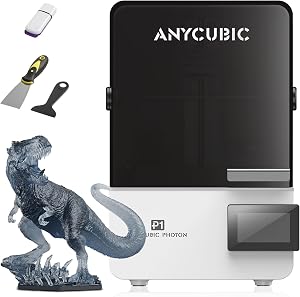
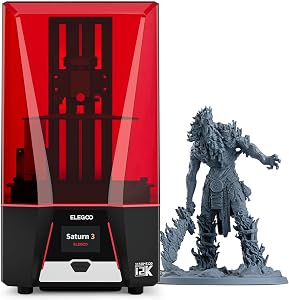
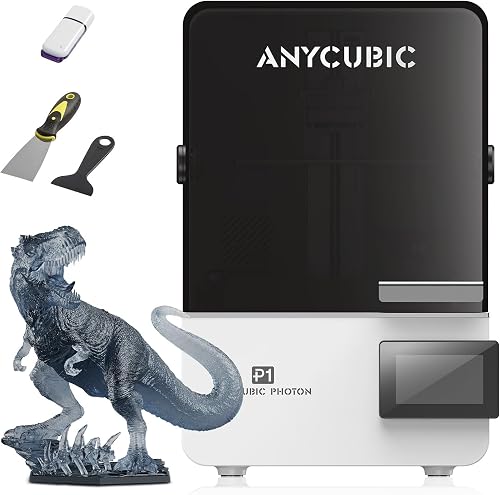
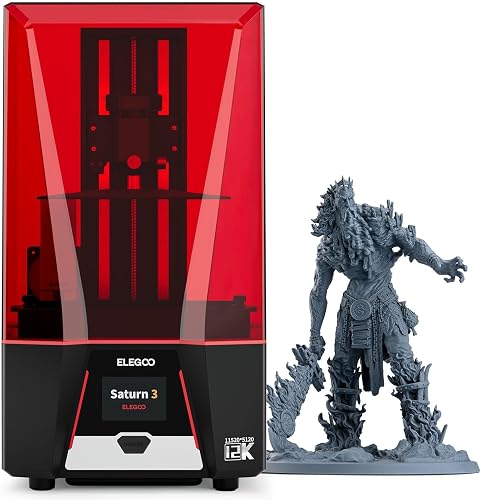
Resin printers (specifically MSLA and DLP variants) flip the entire workflow upside down. Quite literally — the build plate hangs above a vat of liquid photopolymer resin. Below the vat sits an LCD screen and an array of UV LEDs glowing at 405 nanometers. For each layer, the screen displays the pixel pattern of that slice, the UV light shines through, and the exposed resin instantly hardens against the build plate. Then the plate lifts a fraction of a millimeter and the process repeats — pulling the part upward, layer by exquisite layer, out of the resin pool.
The results are jaw-dropping. We are talking tabletop miniatures with visible chainmail rings, dental models accurate to a tenth of a millimeter, and jewelry prototypes ready for casting straight off the printer.
Expert Tip
Always print your first resin part using the resin manufacturer's recommended exposure times. Then run a calibration test (RERF or Cones of Calibration) before tweaking anything. Most beginner resin failures come from over- or under-exposed layers, not bad models.
Resin Strengths
- Astonishing surface detail
- Smooth, layer-free finish
- Specialty resins (flexible, tough, castable)
- Fast print times for small parts
Resin Trade-Offs
- Messy, smelly, requires gloves and ventilation
- Mandatory wash and UV-cure station
- Smaller build volumes
- Resin disposal needs care
FDM vs Resin: The Side-by-Side That Settles It
| Factor | FDM | Resin (MSLA/DLP) |
|---|---|---|
| Starting Price | $200 to $400 | $250 to $500 (plus wash/cure) |
| Material Cost | $20 to $30 per kg | $30 to $80 per liter |
| Best For | Functional parts, prototypes, larger objects | Miniatures, jewelry, dental, fine art |
| Smell & Mess | Mild plastic odor | Strong, requires ventilation |
| Learning Curve | Gentle | Steeper |
| Detail Level | Good | Extraordinary |
See Resin Printing in Action
Watching a resin print emerge from the vat is one of the most mesmerizing sights in modern manufacturing. If you have ever wondered what it actually looks like inside that mysterious orange-tinted enclosure, this is your moment.
A side-by-side breakdown of how FDM and resin printers compare for hobbyists.
Which Printer Should You Start With?
Honestly? Start with FDM unless you have a specific reason not to. It teaches you the fundamentals (slicing, supports, materials, troubleshooting) with the lowest mess and the friendliest budget. Once those instincts are baked in, adding a resin printer feels like leveling up rather than starting over.
But if you are deep into tabletop gaming, jewelry making, dental work, or any niche where surface detail is non-negotiable, jump straight to resin. Your patience for FDM layer lines will run out fast and you will end up buying a resin machine anyway.
Frequently Asked Questions
How long does a typical 3D print take?
Anywhere from 30 minutes for a small keychain to 30+ hours for a large detailed model. Most hobby prints land in the 3 to 8 hour range.
Is 3D printing safe to do at home?
FDM with PLA is very safe with basic ventilation. Resin printing requires gloves, eye protection, and a well-ventilated room. Never run resin printers in bedrooms.
Can I make money from 3D printing?
Absolutely. Many hobbyists sell prints on Etsy, fulfill local custom orders, or design and license STL files. It is rarely a get-rich-quick path, but a viable side hustle for many.
Do I need to know 3D modeling to start?
Not at all. Free repositories like Printables, Thingiverse, and MakerWorld have millions of ready-to-print files. You can print for years without modeling a single thing yourself.
The Bottom Line
3D printing is not the future. It is the present — sitting on workbenches, kitchen tables, and dental offices around the world, quietly turning ideas into objects. Once you understand the layer-by-layer logic, every machine in the field starts to make perfect sense.
Last Updated: June 2026. Written by the Extruly Editorial Team after extensive hands-on testing of both FDM and resin systems.
Key Takeaways
- Choosing the right how does a 3d printer work means matching capacity and output ports to your actual devices
- Always check actual watt-hours (Wh), not just watts — runtime depends on Wh, not peak output
- Also covers: how 3d printers work
- Also covers: fdm vs resin printing explained
- Also covers: 3d printing process for beginners
- Compare price-per-Wh across models to find the best value for your budget